
Common errors when migrating from v7 to v8
Table of contents
- Specify if a parameter is an array
- Initialize all parameters properly
- Pass and assign correct values to parameters
- Normalize key presses
- Change
endExperiment()toabortExperiment() - Changes to playing audio
- Optional for v8: change the outline of your plugins
Specify if a parameter is an array
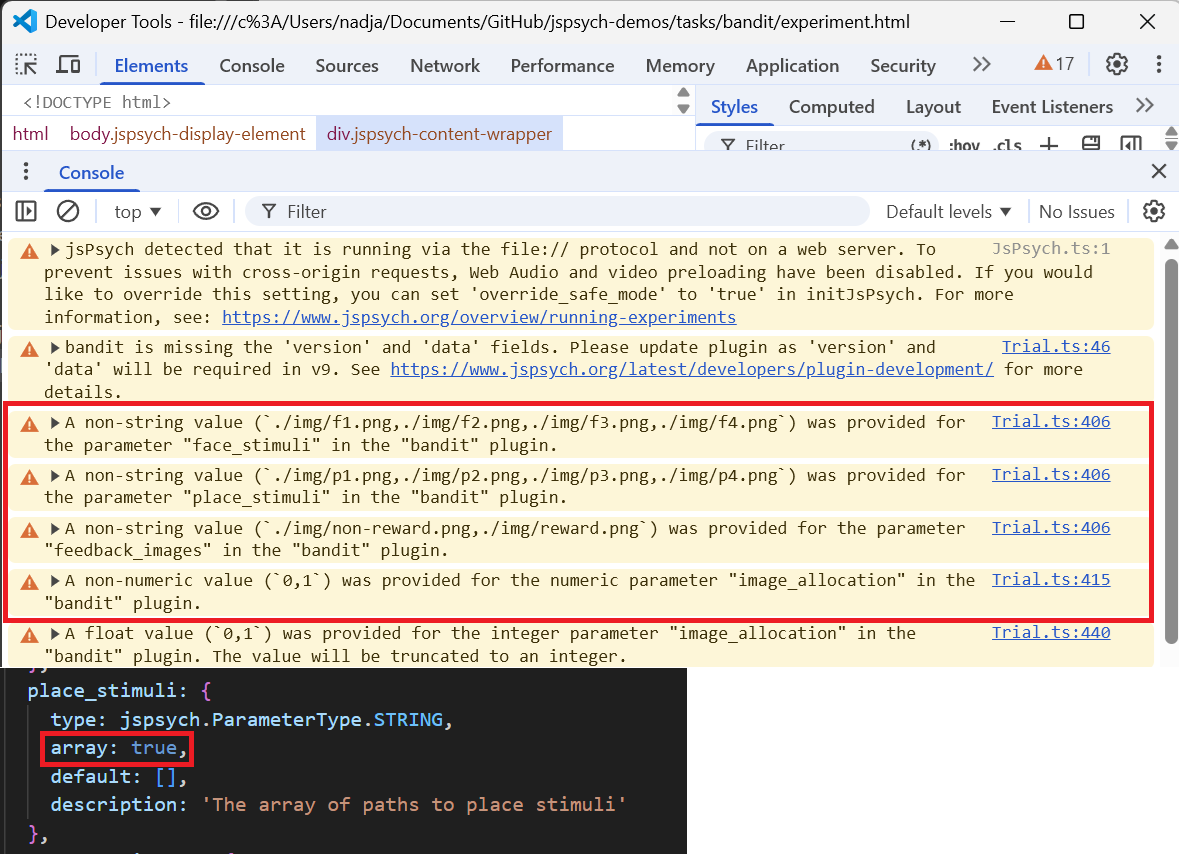
- Seeing warnings about non-string or non-numeric values in your console, next to an array of strings or integers, means that you have not specified that your parameter is an array.
- Specify that the parameter is an array by setting array:true in your initialization
Initialize all parameters properly
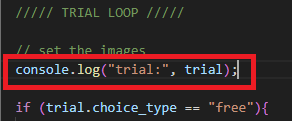
- If something isn’t loading, but you see no other warnings in the console, you might not be initializing all of your parameters. Add a console log in your trial loop to check for errors with parameters.
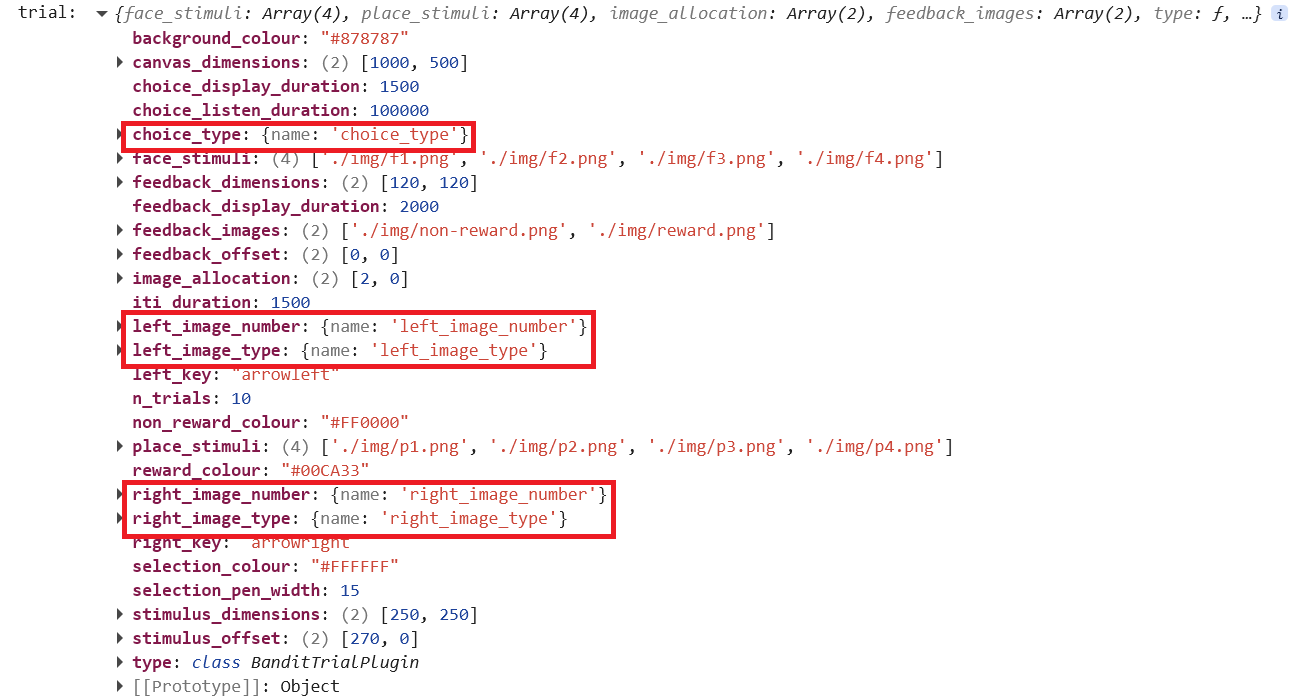
- Look at your console log results. Seeing {name: ‘variable-name’} instead of a value generally means that your variable is not initialized.
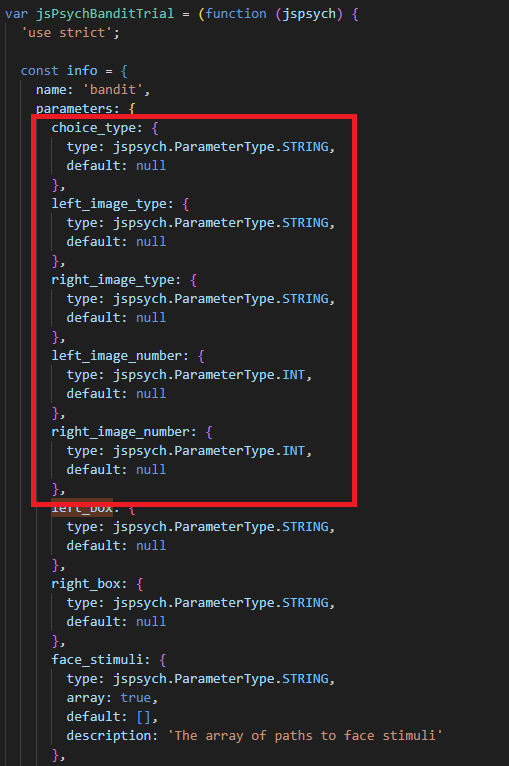
- Initialize the missing values by adding them to the proper slot in your code. Because these were trial parameters, they need to be added to info.parameters.
Pass and assign correct values to parameters
- You can find a full list of supported parameter types here.
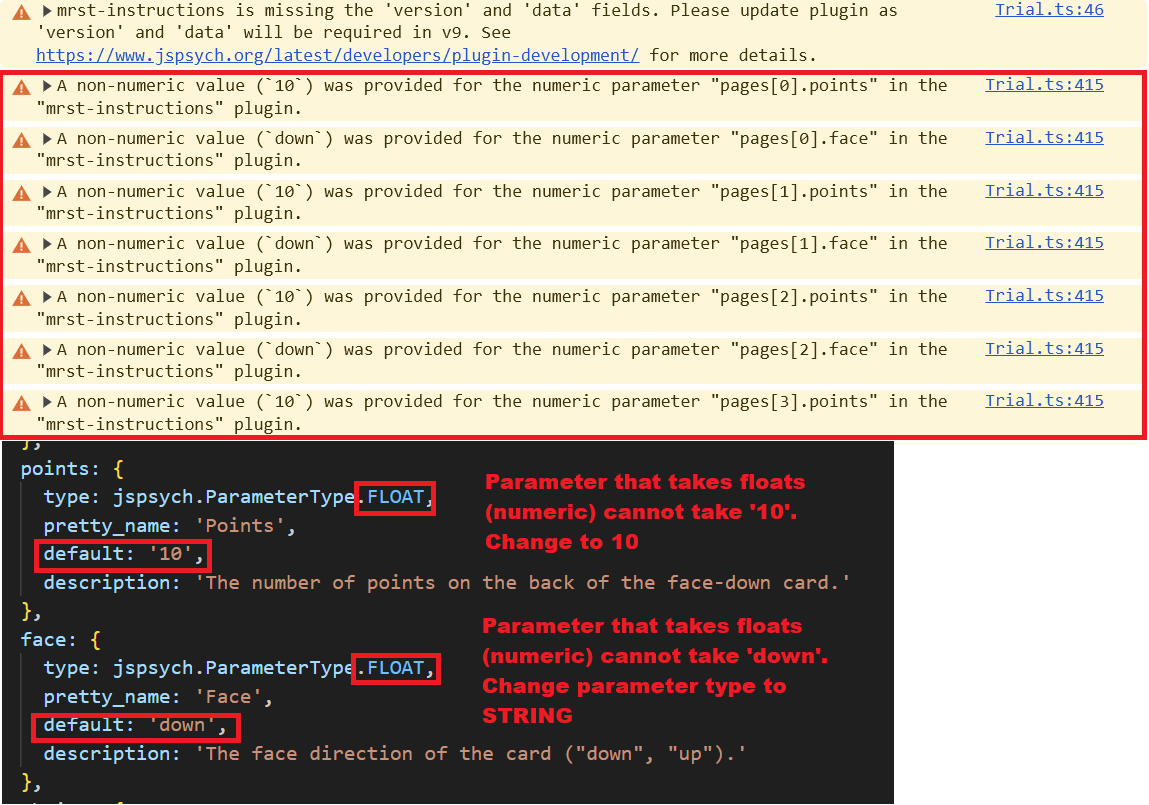
- If a parameter is expecting a numeric value, you have to pass a numeric value. Similar principles apply to every value type. These errors will show up as, for example “a non-numeric value was provided for the numeric parameter” in your warnings.
- Check for numbers in character/string form, such as ‘10’ instead of 10.
- Assign your value types correctly. If we’re passing “up”/”down” to a parameter, it should be a string parameter rather than a numeric parameter.
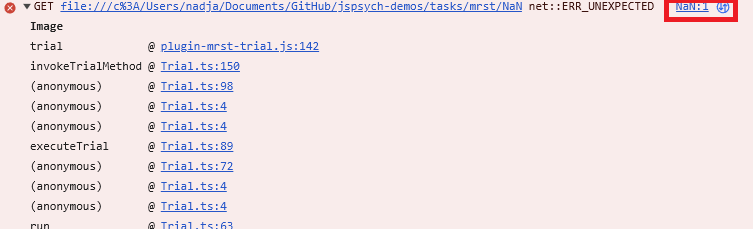
- NaN (not a number) errors can also happen due to this. They occur when we’re trying to pass a string value to a numeric parameter. They may look like this in the console:
Normalize key presses
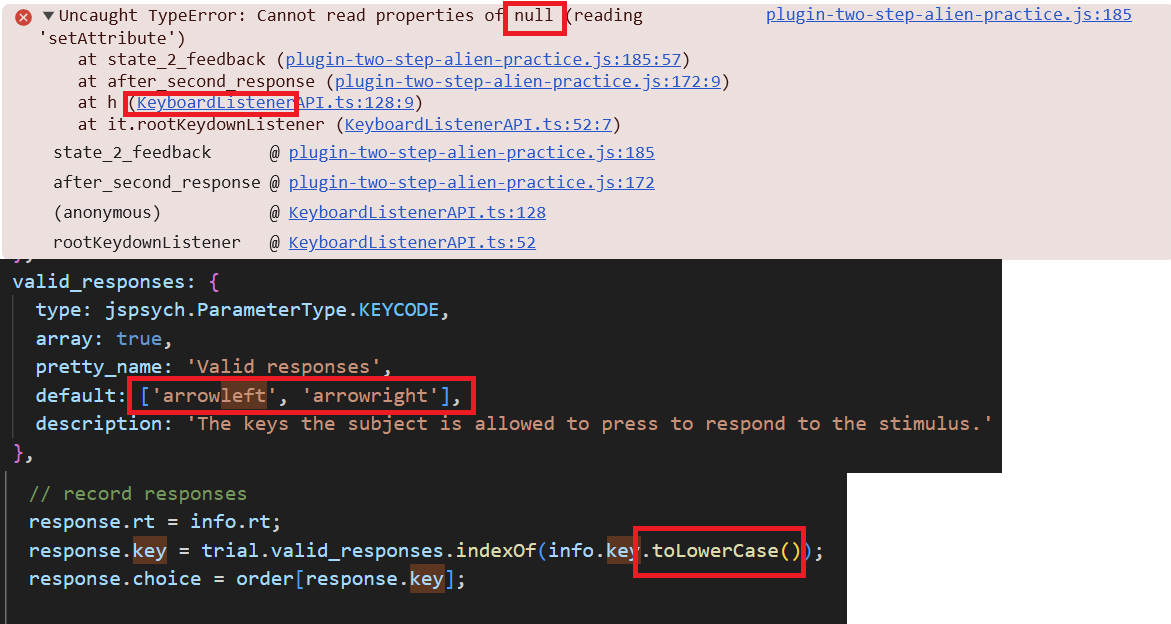
- If a key press is not working in your experiment, the issue may be that different browsers or devices label the same key in different ways. For example, the left arrow key might be recorded as “ArrowLeft” in one case and “arrowleft” in another. To avoid this, normalize key presses by converting all key inputs to the same format before checking them.
- Make the default responses lowercase, and set user inputs to lowercase before further analysis.
Change endExperiment() to abortExperiment()
endExperiment()is no longer supported as a function. If you’re having this problem, you might see something like this in your developer console:

- Change
endExperiment()toabortExperiment()in your code. Same applies toendCurrentTimeline(). Change it toabortCurrentTimeline().
Changes to playing audio
- No need for
audioContext()anymore, code is much simpler. getAudioBuffer()is no longer supported as a function. If you’re still using it, you will see an error in your developer console. Make the following changes in your code:
// *** initialization ***
// var context = jsPsych.pluginAPI.audioContext();
// No need for audioContext anymore, remove it.

var audio_ix = jsPsych.randomization.sampleWithReplacement([0,1,2,3], 1);
var audio = null;
var starttime;

// *** load audio file ***
jsPsych.pluginAPI.getAudioPlayer(trial.stimulus[audio_ix])
  .then(function (player){
      audio = player;
  })
  .catch(function (err){
      console.error("Failed to load audio file");
      console.error(err);
  });

// *** start audio ***
audio.play();

// *** stop audio ***
audio.stop();